



Zusammenfassung
- noCRM wurde für Vertriebsmitarbeiter entwickelt, die Wert auf Geschwindigkeit und Einfachheit legen, während Salesforce Unternehmen mit umfangreichen Anpassungs- und Reporting-Anforderungen anspricht.
- noCRM ist innerhalb weniger Minuten einsatzbereit und ermöglicht sofort produktives Arbeiten, während Salesforce häufig mehrere Wochen Implementierungszeit sowie technische Ressourcen benötigt.
- Die richtige Wahl hängt davon ab, was für Sie wichtiger ist: schnelles Lead-Management und effiziente Vertriebsarbeit oder umfangreiche Funktionen und Enterprise-Skalierbarkeit.
Die Wahl der richtigen CRM-Plattform gehört zu den wichtigsten Entscheidungen für Vertriebsteams, Vertriebsleiter und Unternehmer. Die passende Lösung kann Ihre Vertriebsleistung deutlich verbessern, Arbeitsabläufe vereinfachen und nachhaltiges Wachstum fördern.
In diesem Vergleich noCRM vs. Salesforce zeigen wir, welche Plattform für welche Anforderungen geeignet ist. Sie erfahren, wie gut sich beide Lösungen an Ihren Vertriebsprozess, Ihre Teamgröße und Ihre Unternehmensziele anpassen, damit Sie eine fundierte Entscheidung treffen können.
noCRM vs. Salesforce im Überblick
Die folgende Tabelle fasst die wichtigsten Eigenschaften, Stärken und Einsatzbereiche von noCRM und Salesforce zusammen.
Was zeichnet diese CRM-Plattformen aus?
Bevor wir die Besonderheiten der einzelnen Plattformen betrachten, lohnt sich ein kurzer Überblick darüber, was noCRM und Salesforce ausmacht und für wen sie entwickelt wurden.
noCRM ist eine Lead-Management-Software, die Vertriebsmitarbeitern hilft, Leads effizient in Kunden zu verwandeln und ihren Vertriebsprozess zu organisieren. Zu den wichtigsten Funktionen gehören ein konsequent auf Leads ausgerichteter Workflow, eine schnelle Lead-Erfassung, visuelle Pipelines sowie native und No-Code-Integrationen. noCRM eignet sich besonders für kleine und mittelständische Unternehmen, die ihren Fokus auf Lead-Management und Vertriebsaktivitäten legen. Marketing-Automatisierung oder Kundenservice stehen dagegen bewusst nicht im Mittelpunkt.
Salesforce ist eine umfangreiche CRM-Plattform mit nahezu unbegrenzten Anpassungsmöglichkeiten. Besonders in komplexen Branchen wie dem Gesundheitswesen oder öffentlichen Einrichtungen überzeugt Salesforce durch seine enorme Flexibilität. Die Plattform richtet sich vor allem an größere Unternehmen mit komplexen Anforderungen. Aufgrund des großen Funktionsumfangs ist die Einführung allerdings deutlich aufwendiger und dauert häufig mehrere Wochen oder sogar Monate.
Sehen wir uns nun an, wodurch sich beide Plattformen unterscheiden und wie sich ihre unterschiedlichen Philosophien auf den Vertriebsalltag auswirken.
noCRM – Der Anti-CRM-Ansatz
noCRM wurde rund um das Jahr 2014 mit einer klaren Überzeugung entwickelt:
Die meisten CRM-Systeme wurden für Manager entwickelt – nicht für Verkäufer.
Deshalb verzichtet noCRM bewusst auf den administrativen Ballast klassischer CRM-Systeme und konzentriert sich vollständig auf effizientes Lead-Management und eine möglichst schnelle Bearbeitung der Vertriebspipeline.
Diese Lead-Management-Software wurde von Grund auf für Vertriebsmitarbeiter entwickelt. Im Gegensatz zu klassischen CRM-Systemen mit umfangreicher Dateneingabe und komplexen Workflows versteht noCRM Einfachheit nicht als Kompromiss, sondern als entscheidenden Vorteil.
Die Zielgruppe sind vor allem Vertriebsteams mit intensivem Prospecting, wachsende Unternehmen, die keine Zeit mehr mit komplizierter Software verlieren möchten, sowie Einzelunternehmer, die Leads professionell verwalten wollen, ohne sich mit unnötiger Komplexität beschäftigen zu müssen.
Der Komplexitätsvergleich: Was noCRM bewusst vereinfacht
noCRM erreicht seine Effizienz, indem es sich konsequent auf die Anforderungen von Vertriebsmitarbeitern konzentriert:
- Keine endlosen Pflichtfelder – Leads werden innerhalb weniger Sekunden erstellt, Gespräche und Notizen lassen sich flexibel dokumentieren.
- Keine komplexe Administration – keine IT-Abteilung, keine Berater, Einrichtung innerhalb weniger Minuten.
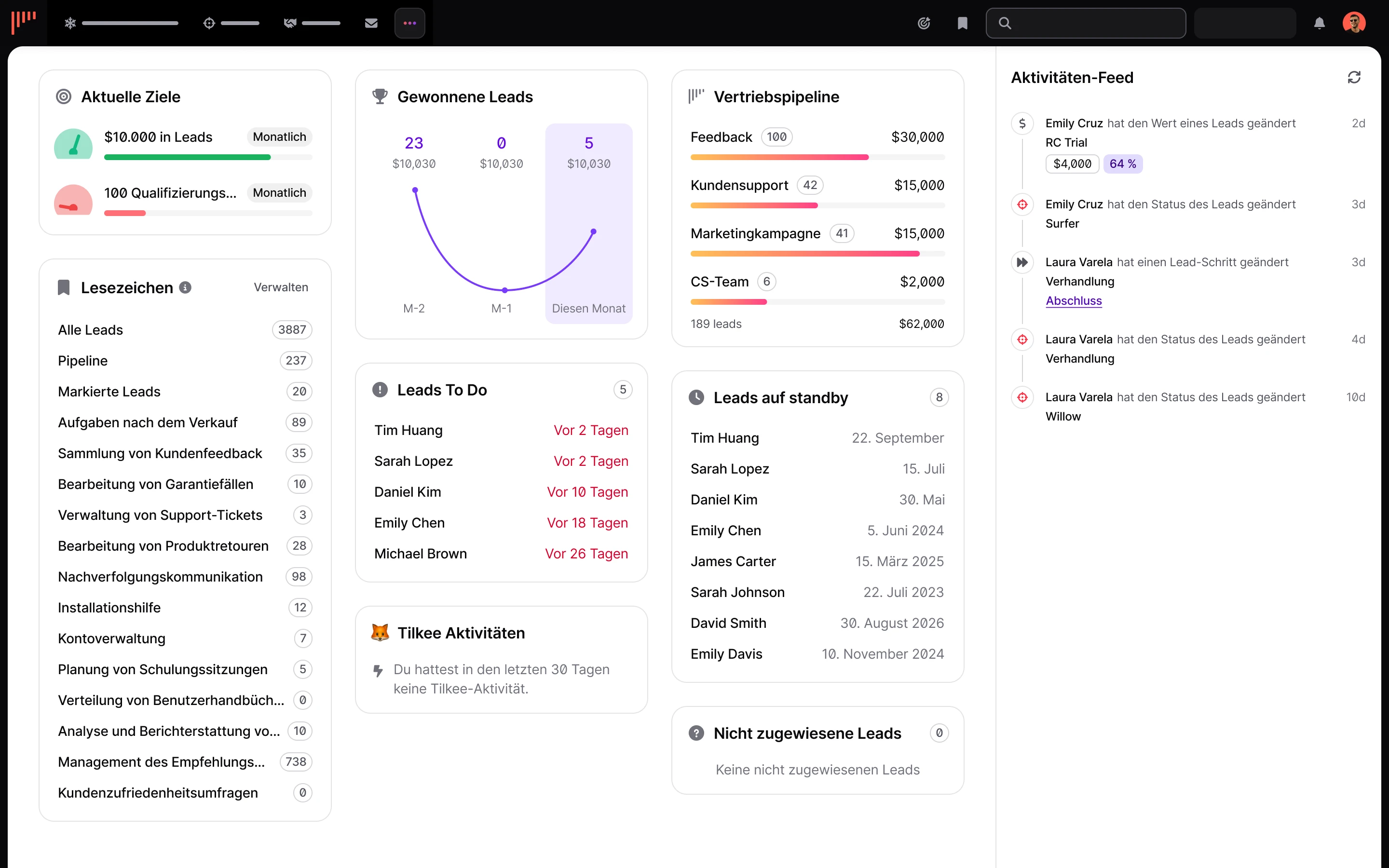
- Keine überladenen Dashboards – stattdessen eine klare Pipeline-Ansicht und ein übersichtliches Dashboard.
- Keine überdimensionierten Reporting-Funktionen – der Fokus bleibt auf dem Verkaufen statt auf Berichten.
Viele Unternehmen berichten, dass Leads mit noCRM deutlich schneller bearbeitet werden als mit klassischen CRM-Systemen.
Dabei geht es nicht um weniger Möglichkeiten, sondern um den konsequenten Fokus auf alles, was tatsächlich dabei hilft, mehr Abschlüsse zu erzielen.
Salesforce CRM – Die Enterprise-Plattform
Salesforce ist weit mehr als ein klassisches CRM. Die Plattform umfasst Lösungen für Vertrieb, Kundenservice, Marketing-Automatisierung, Commerce, Data 360 und zahlreiche weitere Geschäftsbereiche.
Seit der Gründung im Jahr 1999 betreut Salesforce heute mehr als 150.000 Unternehmen weltweit und verarbeitet täglich Milliarden von Transaktionen.
Mit Salesforce Sales Cloud lassen sich nahezu alle Bereiche individuell anpassen – unter anderem über Apex (eine Java-ähnliche Programmiersprache), Visualforce für individuelle Benutzeroberflächen sowie Lightning Components für moderne Anwendungen.
Diese Flexibilität ermöglicht hochkomplexe Workflows, individuelle Objekte und fein abgestufte Rollen- und Berechtigungskonzepte.
Salesforce richtet sich vor allem an größere Unternehmen mit komplexen Vertriebsprozessen und hohen Anforderungen an Analysen. Umfangreiche Berichte, KI-gestützte Erkenntnisse über Einstein AI sowie leistungsstarke Automatisierungen machen die Plattform besonders attraktiv für Enterprise-Unternehmen.
Der Preis dafür ist allerdings eine deutlich höhere Komplexität.
Salesforce wurde in erster Linie für Unternehmen entwickelt, die umfangreiche Berichte und individuelle Prozesse benötigen. Genau dieselben Funktionen, die diese Flexibilität ermöglichen, führen jedoch häufig zu Implementierungszeiten von mehreren Wochen oder sogar Monaten.
Nachdem Sie nun die unterschiedlichen Philosophien und Stärken von noCRM und Salesforce kennen, vergleichen wir beide Plattformen anhand der wichtigsten Kriterien für Vertriebsteams.
noCRM vs. Salesforce im direkten Vergleich
Einrichtung und Implementierung
Einrichtung von noCRM
- Viele Nutzer berichten, dass sie innerhalb weniger Minuten nach der Registrierung produktiv arbeiten konnten.
- Keine Einrichtungsgebühren.
- Keine IT-Unterstützung oder externe Berater erforderlich.
- Ihr Vertriebsteam kann sofort mit der Lead-Verwaltung beginnen.
Einrichtung von Salesforce
- Die Konfiguration umfasst Prozessregeln, Flow-Automatisierungen und individuelle Objekte und benötigt in der Regel vier bis zwölf Wochen.
- Viele Unternehmen investieren bereits vor dem eigentlichen Einsatz mehrere tausend Euro in Beratung und Implementierung.
Gerade für kleine Unternehmen und wachsende Vertriebsteams hat dieser Unterschied einen erheblichen Einfluss auf die Geschwindigkeit, mit der tatsächlich verkauft werden kann.
Benutzeroberfläche und Benutzerfreundlichkeit
Benutzeroberfläche von noCRM
- Speziell für Lead-Management und Vertriebsaktivitäten entwickelt.
- Übersichtlich gestaltete Oberfläche mit Fokus auf Prospects, Leads, Pipelines und Follow-ups.
- Das Layout setzt auf Einfachheit und ermöglicht schnellen Zugriff auf wichtige Aktionen wie Anrufen, E-Mails versenden oder den Lead-Status aktualisieren.
- Die noCRM-App wird von Android-Nutzern besonders für ihre einfache Bedienung und intuitive Navigation geschätzt.
Benutzeroberfläche von Salesforce
- Entwickelt für eine Vielzahl von Geschäftsprozessen und komplexen Workflows.
- Umfangreiche Dashboards, Reporting-Tools und Konfigurationsmöglichkeiten für detaillierte Analysen und individuelle Anpassungen.
- Die Salesforce-App für Android erhält gemischte Bewertungen, was häufig auf den Kompromiss zwischen großem Funktionsumfang und Benutzerfreundlichkeit zurückgeführt wird.
Die Gestaltung der Benutzeroberfläche spielt eine entscheidende Rolle für die Akzeptanz eines CRM-Systems.
Lösungen, die als zu komplex wahrgenommen werden, stoßen insbesondere bei Nutzern auf Widerstand, die lediglich klassische Vertriebsfunktionen benötigen. Plattformen, die bewusst auf Einfachheit setzen, lassen sich dagegen schneller einführen, können jedoch für Unternehmen mit sehr komplexen Prozessen an ihre Grenzen stoßen.
Letztlich hängt der Erfolg eines CRM-Systems davon ab, wie gut seine Arbeitsweise zu den Prozessen, Datenanforderungen und langfristigen Zielen Ihres Unternehmens passt.
Vertriebsfokus: Inbound- und Outbound-Funktionen
Vorteile von noCRM
- Der Lead Clipper erfasst Leads direkt aus E-Mails, LinkedIn oder beliebigen Webseiten.
- Prospecting-Listen sind von der eigentlichen Lead-Pipeline getrennt und sorgen für eine strukturierte Organisation der Kaltakquise.
- Native VoIP-Integrationen (z. B. CloudTalk, Aircall oder JustCall) dokumentieren Anrufe automatisch in Echtzeit.
- Die E-Mail-Integration verbindet Ihr Postfach direkt mit noCRM.
- Angebote und Rechnungen können erstellt werden, ohne die Plattform verlassen zu müssen.
Dieser durchgängige Workflow ermöglicht es Vertriebsmitarbeitern, Prospects zu gewinnen, Leads weiterzuentwickeln und Abschlüsse an einem zentralen Ort zu verwalten.
Funktionen von Salesforce
- Salesforce überzeugt insbesondere durch umfangreiche Inbound- und Outbound-Funktionen.
- Mit Lösungen wie Pardot für Marketing-Automatisierung sowie komplexen Opportunity-Phasen unterstützt Salesforce umfangreiche Vertriebsprozesse.
- Viele dieser Funktionen setzen jedoch zusätzliche Module und eine entsprechende Konfiguration voraus.
Integrationen
Integrationen von noCRM
- noCRM verfolgt konsequent einen Best-of-Breed-Ansatz.
- Native Integrationen mit zahlreichen bekannten Anwendungen.
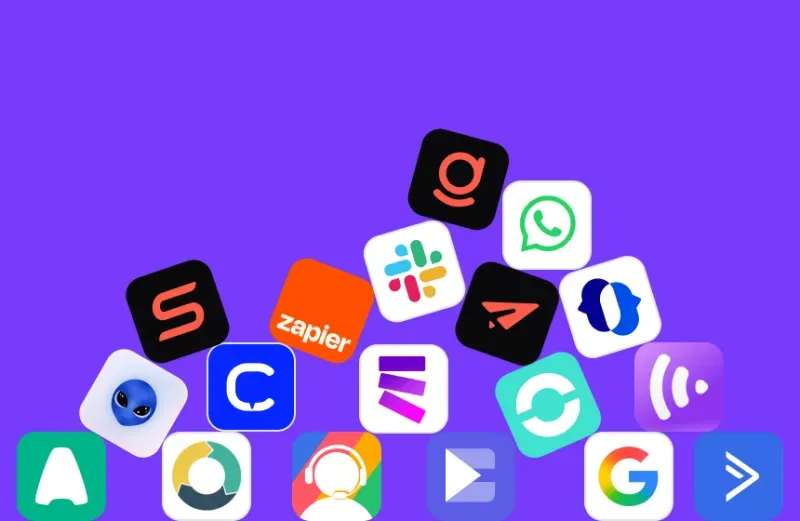
- Verbindung zu über 5.000 Apps über Zapier sowie offene APIs.
- Integration mit Gmail, Outlook, Google Sheets, Trello, QuickBooks, Slack, WhatsApp und vielen weiteren Lösungen.
- Keine Herstellerbindung und keine individuelle Softwareentwicklung erforderlich.
Integrationen von Salesforce
- Über den AppExchange stehen mehr als 7.000 Integrationen zur Verfügung und schaffen ein äußerst umfangreiches Ökosystem.
- Tiefe ERP-Anbindungen und Enterprise-Integrationen bieten enorme Möglichkeiten, erfordern jedoch häufig Middleware sowie technisches Fachwissen.
Hier zeigt sich der klassische Zielkonflikt zwischen Flexibilität und Komplexität:
Mit noCRM lassen sich unterschiedliche Werkzeuge unkompliziert kombinieren, während Salesforce tiefere Integrationen ermöglicht, allerdings mit deutlich höherem technischem Aufwand.
Preise und Gesamtbetriebskosten
Direkte und versteckte Kosten im Vergleich
Preisübersicht
noCRM
- Starter: 11 € pro Nutzer und Monat – Lead-Management und Pipeline
- Expert: 22 € pro Nutzer und Monat – zusätzlich Teamfunktionen und Zapier-Integrationen
- Dream: 33 € pro Nutzer und Monat – inklusive erweiterter Prospecting-Listen und VoIP-Integrationen
Alle Tarife können 15 Tage kostenlos und ohne Kreditkarte getestet werden.
Salesforce
- Kostenlose Suite: verfügbar für bis zu 2 Nutzer
- Starter Suite: 25 € pro Nutzer und Monat für die grundlegenden CRM-Funktionen
- Pro Suite: 100 € pro Nutzer und Monat für erweiterte Funktionen
Berücksichtigt man Implementierung, Schulungen, laufende Administration und kostenpflichtige Zusatzmodule, können die Gesamtbetriebskosten von Salesforce fünf- bis zehnmal höher ausfallen.
Für ein Vertriebsteam mit zehn Mitarbeitern kostet der Dream-Tarif von noCRM weniger als 5.000 € pro Jahr, während eine vergleichbare Salesforce-Implementierung inklusive aller Nebenkosten häufig mehr als 20.000 € kostet.
Nachdem wir noCRM und Salesforce hinsichtlich Einrichtung, Benutzerfreundlichkeit, Integrationen und Kosten verglichen haben, werfen wir nun einen Blick darauf, was Vertriebsteams aus der Praxis über beide Plattformen sagen.
Das sagen Vertriebsteams über beide Plattformen
Das schätzen Nutzer an noCRM
- Sehr schnelle Lead-Erfassung – mit dem Lead Clipper lassen sich Prospects innerhalb weniger Sekunden aus jeder Webseite erstellen; die mobile App scannt Visitenkarten und legt automatisch neue Leads an.
- Vertriebsorientierte Funktionen – sämtliche Werkzeuge unterstützen direkt den Verkaufsprozess.
- Sofortige Produktivität – viele Teams berichten, bereits innerhalb der ersten Stunde produktiv gearbeitet zu haben.
- Kein unnötiger Verwaltungsaufwand – Vertriebsmitarbeiter verkaufen statt CRM-Daten zu pflegen.
- Hohe Zuverlässigkeit – die Plattform erfüllt genau das, was sie verspricht, ohne unnötigen Funktionsballast.
- Schneller und kompetenter Kundensupport ohne den typischen Verkaufsdruck großer Enterprise-Anbieter.
Viele Nutzer loben insbesondere die Effizienz und den klaren Fokus auf einen unkomplizierten Vertriebsprozess – vor allem in kleinen und mittelständischen Unternehmen.
Das schätzen Nutzer an Salesforce
- Umfangreiche Berichte und Dashboards für das Management.
- Leistungsstarke Automatisierungen inklusive Einstein AI.
- Nahezu unbegrenzte Anpassungsmöglichkeiten.
- Tiefe Integration in bestehende Unternehmenssysteme.
- Hervorragende Skalierbarkeit für große Organisationen.
- Riesiges Ökosystem mit Tausenden von Erweiterungen und Apps.
Gerade größere Unternehmen mit eigenen Administratoren schätzen den enormen Funktionsumfang und die hohe Flexibilität von Salesforce.
Das Feedback der Nutzer liefert wichtige Einblicke. Ebenso entscheidend ist jedoch der Aufwand für Einführung und laufende Betreuung der Plattformen.
Anforderungen an Einführung und Betrieb
Für Unternehmen ohne eigene IT-Abteilung oder Salesforce-Administratoren ist dieser Unterschied häufig ein entscheidender Faktor.
Welche CRM-Plattform passt zu Ihrem Vertriebsteam?
Entscheiden Sie sich für noCRM, wenn Sie …
- eine schnelle Einführung und sofort produktive Vertriebsarbeit ohne wochenlange Einrichtung wünschen.
- den Schwerpunkt auf Prospecting und Lead-Konvertierung statt auf komplexe Berichte legen.
- möglichst wenig Verwaltungsaufwand und keine technischen Spezialkenntnisse benötigen.
- eine kosteneffiziente Lösung mit transparenter und planbarer Preisgestaltung suchen.
- eine Plattform möchten, die für Vertriebsmitarbeiter entwickelt wurde – nicht für Vertriebsleiter.
- native VoIP- und E-Mail-Integrationen für intensive Prospecting-Prozesse benötigen.
- Angebote und Rechnungen erstellen möchten, ohne die Plattform verlassen zu müssen.
Entscheiden Sie sich für Salesforce, wenn Sie …
- ein umfassendes CRM mit weitreichenden Anpassungsmöglichkeiten benötigen.
- komplexe Berichte und Analysen für das Management erstellen möchten.
- Enterprise-Integrationen und hohe Skalierbarkeit benötigen.
- KI-gestützte Erkenntnisse über Einstein AI für Prognosen und Analysen nutzen möchten.
- eine vollständige Plattform für Vertrieb, Marketing, Kundenservice und Commerce suchen.
Das Urteil des Anti-CRM
Kurz gesagt:
Salesforce wurde für Unternehmen entwickelt, die komplexe Berichte und umfangreiche Steuerungsmöglichkeiten benötigen. noCRM wurde für Vertriebsmitarbeiter entwickelt, die schnell verkaufen möchten.
Bei diesem Vergleich geht es nicht darum, welche Plattform objektiv besser ist.
Es geht darum, welche Lösung besser zu Ihrer Arbeitsweise passt.
Wenn Ihr größter Wettbewerbsvorteil darin besteht, Leads schnell nachzuverfolgen, möglichst wenig Zeit mit Dateneingaben zu verbringen und Ihr Vertriebsteam konsequent auf den Verkauf zu konzentrieren, bietet noCRM genau den richtigen Ansatz. Die bewusst reduzierte Komplexität beseitigt viele der Hürden, die klassische CRM-Systeme oft scheitern lassen.
Benötigt Ihr Unternehmen dagegen detaillierte Umsatzprognosen, komplexe Genehmigungsprozesse, KI-gestützte Analysen und tiefe Integrationen in bestehende Unternehmenssysteme, bietet Salesforce Funktionen, die schlankere Lösungen bewusst nicht abdecken.
Letztlich gilt:
Das beste CRM ist dasjenige, das Ihr Team tatsächlich nutzt.
Jede Funktion, die von Ihren Vertriebsmitarbeitern ignoriert wird, ist eine unnötige Investition. Jede Minute, die statt für den Verkauf für Dateneingaben verwendet wird, kostet potenzielle Abschlüsse.
Treffen Sie Ihre Entscheidung daher nicht danach, welche Plattform die längste Funktionsliste besitzt, sondern danach, welche Ihren Vertriebsprozess am effektivsten unterstützt.
Möchten Sie noCRM selbst ausprobieren? Testen Sie noCRM jetzt 15 Tage kostenlos.
Verkaufen Sie schneller, ohne Ihr Team auszubremsen