



Riassunto
- noCRM è progettato per i commerciali che hanno bisogno di velocità e semplicità, mentre Salesforce si rivolge alle organizzazioni che richiedono personalizzazioni avanzate e reportistica approfondita.
- noCRM può essere configurato in pochi minuti e consente di essere produttivi immediatamente, mentre Salesforce richiede spesso diverse settimane e risorse tecniche dedicate.
- La scelta dipende dalle tue priorità: rapidità di esecuzione e gestione dei lead oppure funzionalità avanzate e scalabilità enterprise.
Scegliere la piattaforma CRM giusta è una decisione fondamentale per team commerciali, responsabili vendite e imprenditori. La soluzione più adatta può incidere direttamente sulle prestazioni di vendita, semplificare il workflow e sostenere la crescita dell’azienda.
In questo articolo proponiamo un confronto completo tra noCRM e Salesforce, pensato specificamente per i team di vendita. Ti aiuteremo a comprendere come ciascuna piattaforma si adatta al tuo processo commerciale, alle dimensioni del team e agli obiettivi aziendali, così da poter prendere una decisione consapevole e coerente con le tue esigenze.
Confronto rapido: noCRM vs Salesforce
La tabella seguente riassume le principali funzionalità, i punti di forza e i casi d’uso ideali di noCRM e Salesforce:
Cosa rende uniche queste piattaforme CRM?
Prima di analizzare le caratteristiche specifiche delle due piattaforme, definiamo cosa sono noCRM e Salesforce e a quali aziende sono maggiormente adatte.
noCRM è un software di gestione dei lead progettato per aiutare i commerciali a convertire i lead in clienti e organizzare il proprio processo di vendita. Le sue funzionalità principali includono un workflow incentrato sui lead, diverse opzioni per l’acquisizione rapida, pipeline visuali e integrazioni native e no-code.
noCRM è una soluzione particolarmente adatta alle piccole e medie imprese focalizzate sulla gestione dei lead e sul monitoraggio delle vendite. Tuttavia, poiché si concentra principalmente su questi aspetti, potrebbe offrire meno funzionalità in aree come la marketing automation e l’assistenza clienti.
Salesforce è una soluzione CRM completa e ricca di funzionalità, dotata di ampie possibilità di personalizzazione. È nota per la profondità delle sue opzioni di configurazione, che la rendono adatta anche a settori complessi come la sanità e la pubblica amministrazione.
Salesforce è ideale per le grandi aziende o per le organizzazioni con esigenze articolate, grazie alla sua vasta gamma di funzionalità. La piattaforma è però complessa e richiede generalmente tempi di implementazione più lunghi, spesso misurati in settimane o mesi.
Vediamo ora cosa rende unica ciascuna piattaforma e in che modo le rispettive filosofie progettuali influenzano il workflow commerciale.
noCRM: l’approccio Anti-CRM
noCRM è stato lanciato intorno al 2014 con una filosofia audace: la maggior parte dei CRM è progettata per i responsabili, non per i commerciali.
La piattaforma elimina intenzionalmente il carico amministrativo che rallenta i team di vendita, concentrandosi esclusivamente sulla gestione dei lead e sulla velocità di avanzamento della pipeline.
Questo software di gestione dei lead è progettato prima di tutto per chi vende. A differenza dei CRM tradizionali, che richiedono un inserimento continuo di dati e workflow complessi, noCRM considera la semplicità una funzionalità, non un limite.
A chi si rivolge? Ai team commerciali fortemente orientati alla prospezione che privilegiano la velocità rispetto alla quantità di funzionalità, ai team in crescita stanchi di lottare con il proprio software e ai liberi professionisti che vogliono gestire i lead senza strumenti superflui.
La matrice della complessità: cosa semplifica noCRM
noCRM raggiunge la propria efficienza concentrandosi su ciò di cui i commerciali hanno realmente bisogno:
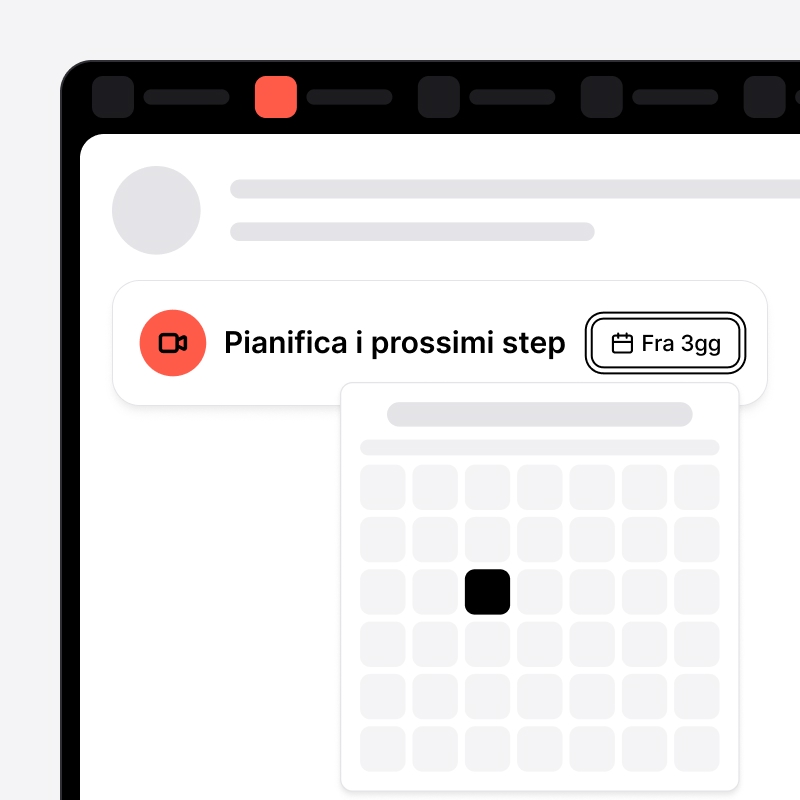
- Nessun inserimento manuale infinito: crea lead in pochi secondi e registra chiamate e note liberamente
- Nessuna configurazione amministrativa complessa: nessun intervento del reparto IT e onboarding autonomo in pochi minuti
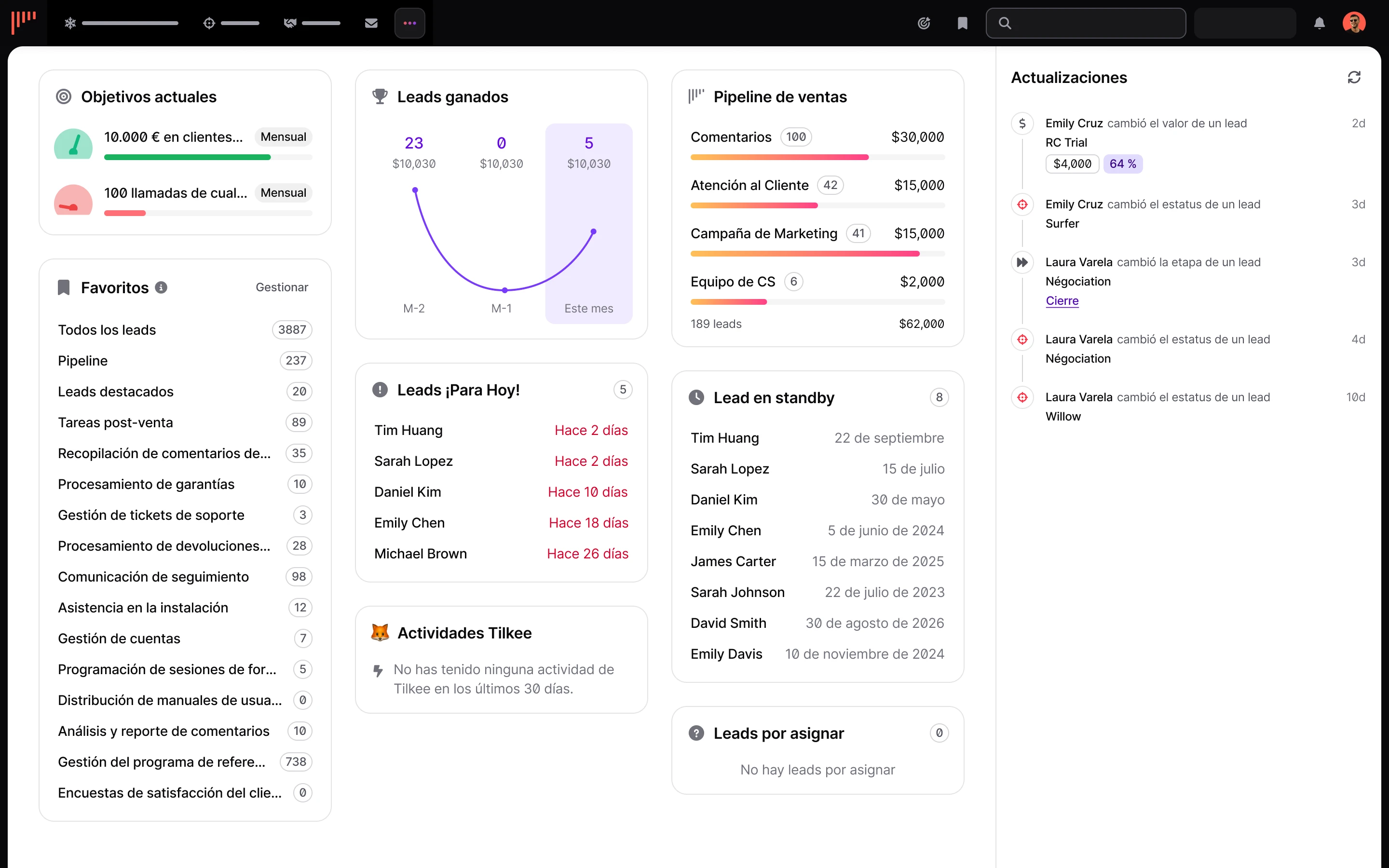
- Nessuna dashboard sovraccarica: sostituita da una dashboard chiara e da una pipeline visuale
- Nessuna reportistica eccessivamente complessa: l’attenzione resta sulla vendita, non sulla creazione di report
Gli utenti dichiarano di riuscire a gestire i lead più rapidamente rispetto ai CRM tradizionali.
Non si tratta di una mancanza di funzionalità, ma di una scelta precisa: concentrarsi su tutto ciò che contribuisce direttamente alla chiusura delle trattative.
Salesforce CRM: un CRM di livello enterprise
Salesforce è una suite completa di prodotti che comprende CRM, customer success, marketing automation, commercio, Data 360 e molto altro.
Dal 1999, Salesforce è cresciuta fino a servire oltre 150.000 clienti in tutto il mondo, elaborando ogni giorno miliardi di transazioni.
Salesforce Sales Cloud offre ampie possibilità di personalizzazione tramite Apex, un linguaggio di programmazione simile a Java, Visualforce per la creazione di interfacce personalizzate e componenti Lightning per esperienze utente moderne.
Questa flessibilità di sviluppo consente di creare workflow articolati, oggetti personalizzati e controlli degli accessi basati sui ruoli.
La piattaforma si rivolge principalmente alle grandi organizzazioni che necessitano di processi commerciali complessi e analisi dettagliate. Reportistica avanzata, insight basati sull’intelligenza artificiale tramite Einstein e solide funzionalità di automazione la rendono particolarmente potente per le esigenze enterprise.
Il compromesso? È una piattaforma orientata ai responsabili e progettata per esigenze di reportistica complesse.
Le stesse funzionalità che permettono una personalizzazione approfondita determinano anche tempi di implementazione più lunghi, spesso misurati in settimane o mesi.
Ora che conosci le filosofie fondamentali e i punti di forza specifici di noCRM e Salesforce, confrontiamole direttamente sulla base dei criteri più importanti per un team di vendita.
noCRM vs Salesforce: confronto diretto
Tempi di configurazione e implementazione
Configurazione di noCRM
- Gli utenti dichiarano di passare dalla registrazione alla piena operatività in pochi minuti
- Nessun costo di configurazione, nessun intervento del reparto IT e nessun consulente necessario
- Il team può iniziare immediatamente a gestire i lead
Configurazione di Salesforce
- I diversi livelli di configurazione, tra cui process builder, automazioni Flow e oggetti personalizzati, richiedono generalmente da 4 a 12 settimane
- Molte organizzazioni investono migliaia di euro in consulenza iniziale prima che la piattaforma diventi realmente utilizzabile
Per le piccole imprese e i team in crescita, questa differenza nei tempi necessari per diventare produttivi può avere un impatto significativo.
Interfaccia utente e facilità d’uso
Interfaccia di noCRM
- Progettata con una forte attenzione alla gestione dei lead e alle attività di vendita
- Interfaccia semplificata incentrata su prospect, lead, pipeline e follow-up
- Layout pensato per offrire un accesso rapido alle azioni essenziali, come chiamare, inviare email e aggiornare lo stato dei lead
- Gli utenti Android valutano positivamente l’app noCRM per il design semplice e la facilità di navigazione
Interfaccia di Salesforce
- Progettata per supportare un’ampia gamma di processi aziendali e workflow avanzati
- Offre numerose dashboard, strumenti di reportistica e opzioni di configurazione per analisi approfondite e personalizzazioni del sistema
- L’app Android di Salesforce riceve opinioni contrastanti, che riflettono spesso il compromesso tra ricchezza funzionale e facilità d’uso
Il design dell’interfaccia svolge un ruolo importante nell’adozione da parte degli utenti.
Gli strumenti percepiti come eccessivamente complessi possono incontrare resistenza, soprattutto tra chi ha bisogno soltanto delle funzionalità commerciali essenziali. Allo stesso tempo, le piattaforme che privilegiano la semplicità possono essere più facili da adottare, ma risultare limitanti per i team con esigenze operative avanzate.
In definitiva, l’efficacia dell’adozione dipende da quanto il design del sistema si adatta ai workflow, alle esigenze relative ai dati e agli obiettivi a lungo termine dell’organizzazione.
Focus sul processo commerciale: funzionalità inbound e outbound
Vantaggi di noCRM
- Lead Clipper acquisisce immediatamente lead da email, LinkedIn o qualsiasi pagina web
- Le Liste di prospezione sono separate dalla pipeline dei lead, mantenendo organizzate le attività di contatto a freddo
- Le integrazioni VoIP native, come CloudTalk, Aircall e JustCall, registrano le interazioni in tempo reale
- L’integrazione email collega direttamente la casella di posta a noCRM
- Fatture e preventivi permettono di concludere la vendita senza uscire dalla piattaforma
Questa attenzione all’intero processo consente ai commerciali di trovare prospect, coltivare le opportunità e chiudere le trattative all’interno di un unico strumento.
Funzionalità di Salesforce
- Offre ampie funzionalità inbound e outbound, con strumenti come Pardot per la marketing automation e una gestione completa delle fasi delle opportunità
- Queste funzionalità richiedono spesso moduli separati e configurazioni aggiuntive per poter lavorare insieme
Ecosistema di integrazioni
Integrazioni di noCRM
- Adotta un approccio basato sui migliori strumenti specializzati
- Offre integrazioni native con strumenti diffusi
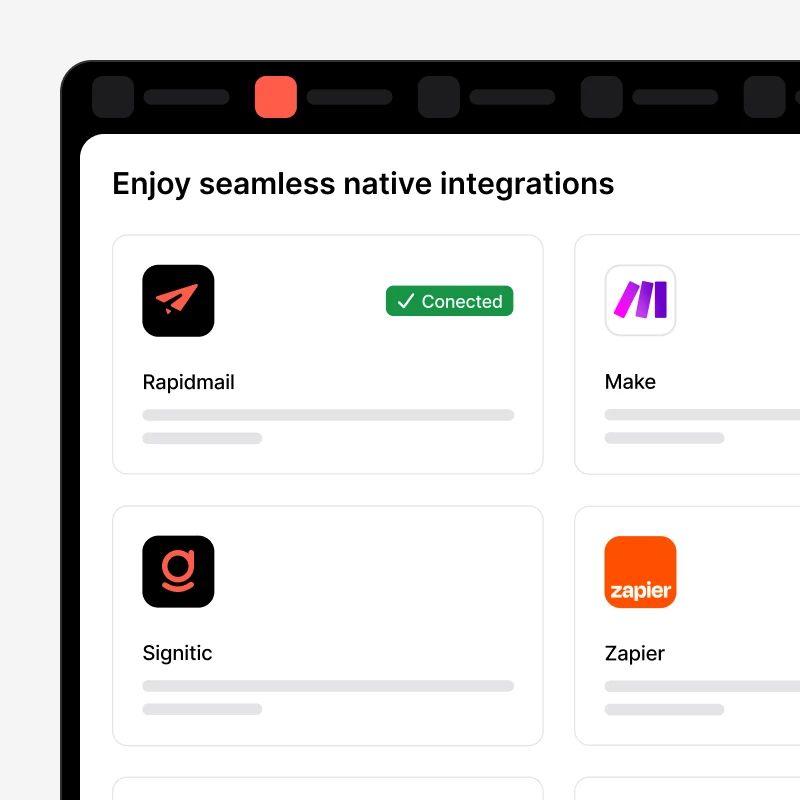
- Si collega a oltre 5.000 applicazioni tramite Zapier e API aperte
- Si integra con Gmail, Outlook, Google Sheets, Trello, QuickBooks, Slack, WhatsApp e molti altri strumenti
- Nessun vincolo verso un unico fornitore e nessuno sviluppo personalizzato necessario
Integrazioni di Salesforce
- AppExchange offre oltre 7.000 integrazioni native, creando un ecosistema completo ma complesso
- I collegamenti avanzati con ERP e sistemi enterprise sono potenti, ma richiedono spesso middleware e competenze tecniche per essere implementati correttamente
Il compromesso tra flessibilità e complessità è concreto: noCRM consente di combinare strumenti modulari con un carico tecnico minimo, mentre Salesforce offre integrazioni più profonde a fronte di una maggiore complessità.
Prezzi e costo totale di proprietà
Confronto tra costi visibili e costi nascosti
Dettaglio dei prezzi delle piattaforme
Prezzi di noCRM
- Starter: 11 €/utente/mese – monitoraggio dei lead e gestione della pipeline
- Expert: 22 €/utente/mese – collaborazione del team e integrazioni Zapier
- Dream: 33 €/utente/mese – liste di prospezione avanzate e integrazioni VoIP
Tutti i piani includono una prova gratuita da 15 a 30 giorni, senza carta di credito.
Prezzi di Salesforce CRM
- Free Suite: disponibile fino a 2 utenti
- Starter Suite: 25 €/utente/mese per le funzionalità CRM di base
- Pro Suite: 100 €/utente/mese per le funzionalità avanzate
Considerando i costi di implementazione, formazione, amministrazione continuativa e delle funzionalità aggiuntive, il costo totale di proprietà di Salesforce può essere da 5 a 10 volte superiore.
Per un team commerciale di 10 persone, il piano Dream di noCRM costa meno di 5.000 € all’anno, mentre un’implementazione Salesforce equivalente supera spesso i 20.000 €, considerando tutti i costi.
Ora che abbiamo confrontato noCRM e Salesforce in termini di implementazione, facilità d’uso, integrazioni e costi, vediamo cosa ne pensano concretamente i team di vendita.
Cosa dicono i team di vendita delle due piattaforme
Cosa apprezzano gli utenti di noCRM
- Rapidità nell’inserimento dei lead: Lead Clipper crea prospect da qualsiasi pagina web in pochi secondi, mentre l’app mobile scansiona i biglietti da visita per creare immediatamente nuovi lead
- Funzionalità orientate alle vendite: ogni elemento della piattaforma contribuisce all’obiettivo di chiudere più rapidamente le trattative
- Produttività immediata: i team dichiarano di diventare operativi già nella prima ora
- Nessun carico amministrativo: i commerciali vendono invece di gestire il CRM
- Affidabilità: la piattaforma fa esattamente ciò che promette, senza funzionalità superflue
- Assistenza clienti reattiva: risposte rapide, senza la pressione commerciale tipica delle grandi piattaforme enterprise
Gli utenti apprezzano costantemente noCRM per l’efficienza e la capacità di semplificare il processo commerciale, soprattutto nelle piccole imprese che cercano una soluzione lineare per la gestione dei lead.
Cosa apprezzano gli utenti di Salesforce
- Reportistica completa: analisi approfondite e dashboard sulle prestazioni per il management
- Automazioni avanzate: workflow complessi supportati dalle funzionalità di Einstein AI
- Ampie possibilità di personalizzazione: possibilità di creare il CRM esatto di cui l’organizzazione ha bisogno
- Integrazioni enterprise: collegamenti con i sistemi aziendali esistenti
- Scalabilità: la piattaforma può crescere insieme alle organizzazioni più grandi
- Profondità dell’ecosistema: accesso a migliaia di applicazioni ed estensioni
Salesforce offre una forte scalabilità alle aziende di medie dimensioni e solide funzionalità di reportistica. Le organizzazioni enterprise con risorse amministrative dedicate apprezzano in particolare l’ampiezza delle funzionalità disponibili.
Comprendere le opinioni degli utenti è importante, ma è altrettanto essenziale conoscere ciò che serve per implementare e mantenere ciascuna piattaforma. La sezione seguente riassume i requisiti pratici di noCRM e Salesforce.
Panoramica dei requisiti di implementazione
Per i team che non dispongono di risorse IT dedicate, questa differenza rappresenta un fattore decisionale significativo.
Quale piattaforma CRM è più adatta al tuo team di vendita?
Scegli noCRM se desideri:
- Implementazione rapida e risultati immediati, senza settimane di configurazione
- Maggiore attenzione alla prospezione e alla conversione dei lead rispetto alla reportistica complessa
- Carico amministrativo e requisiti tecnici minimi
- Una soluzione conveniente con prezzi trasparenti e prevedibili
- Una piattaforma progettata per i commerciali, non per i responsabili vendite
- Integrazioni native VoIP ed email per workflow fortemente orientati alla prospezione
- La possibilità di inviare fatture e preventivi senza uscire dalla piattaforma
Scegli Salesforce se desideri:
- Un CRM completo con opzioni avanzate di personalizzazione
- Reportistica e analisi complesse per il controllo da parte del management
- Integrazioni di livello enterprise e scalabilità
- Insight basati sull’intelligenza artificiale tramite Einstein per analisi predittive
- Una suite completa che includa strumenti per marketing, assistenza e commercio
Il verdetto dell’Anti-CRM
In sintesi: Salesforce è progettato per i responsabili che necessitano di reportistica complessa; noCRM è progettato per i commerciali che hanno bisogno di velocità.
Questo confronto non serve a stabilire quale piattaforma sia migliore in assoluto. Serve a individuare il CRM che si adatta al modo in cui lavora realmente il tuo team.
Quando il vantaggio competitivo dipende dalla rapidità dei follow-up, dall’inserimento minimo dei dati e dalla capacità di mantenere i commerciali concentrati sulla vendita, noCRM offre esattamente questo.
La sua semplicità intenzionale elimina gli ostacoli che spesso portano i team ad abbandonare il CRM.
Quando invece l’organizzazione ha bisogno di previsioni dettagliate, workflow di approvazione complessi, analisi basate sull’intelligenza artificiale e profonde integrazioni enterprise, Salesforce offre funzionalità che le piattaforme più semplici non possono eguagliare.
Il CRM migliore è quello che il tuo team utilizzerà davvero.
Ogni funzionalità ignorata dai commerciali rappresenta un investimento sprecato. Ogni minuto dedicato all’inserimento dei dati invece che alla vendita può tradursi in un’opportunità persa.
Prendi la tua decisione in base a ciò che genera risultati per il tuo specifico processo commerciale, non in base alla piattaforma con il maggior numero di funzionalità.
Vuoi provare noCRM oggi? Approfitta subito della prova gratuita di noCRM per 15 giorni.
Vendi più velocemente senza rallentare il team