Personalize your account
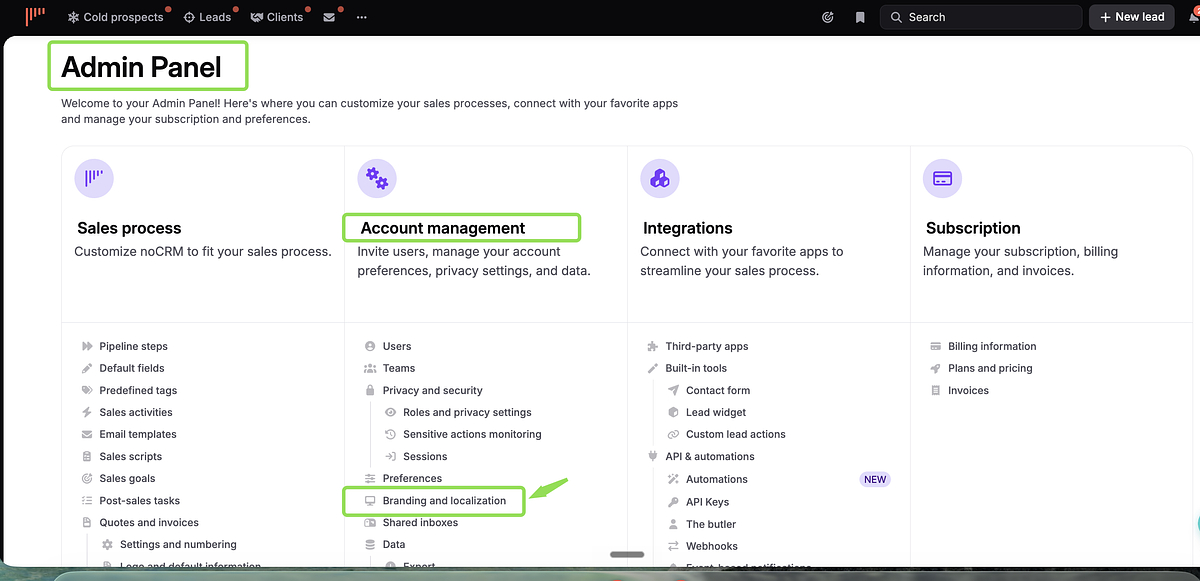
Inside noCRM's lead management software, admins can configure the account's branding and localization settings from Admin panel > Account Management > Branding & Localization.
Localization
Set the default language, currency, and time zone for the entire account.
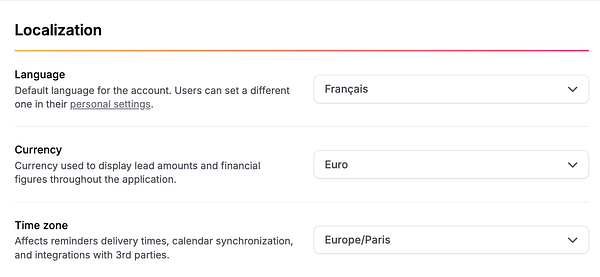
Language — Default language for the account. Users can set their own language individually in Settings > Personal settings.
Currency — Applies to the whole account. Only one currency can be used — choose the one that fits all the markets you work with.
Time zone — Applies to the whole account and affects reminder delivery times, calendar synchronization, and third-party integrations.
Time
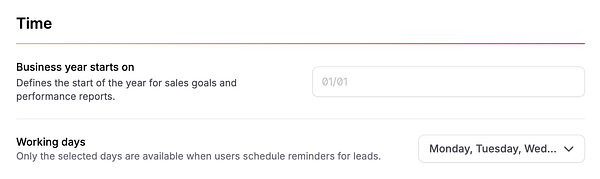
- Business year starts on — defines the start date for sales goals and performance reports (applies to the whole account)
- Working days — only selected days appear when scheduling reminders (default: Monday–Friday)
Logo

Upload your company logo from Admin panel > Branding & Localization (PNG or GIF, landscape format with transparent background recommended).
Bookmarks
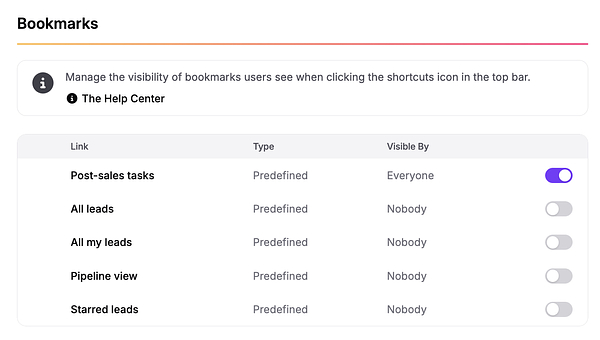
From Admin panel > Branding & Localization, control which shortcuts are visible to users in the top bar. For each bookmark, choose:
- Everyone — visible to all users
- Nobody — hidden